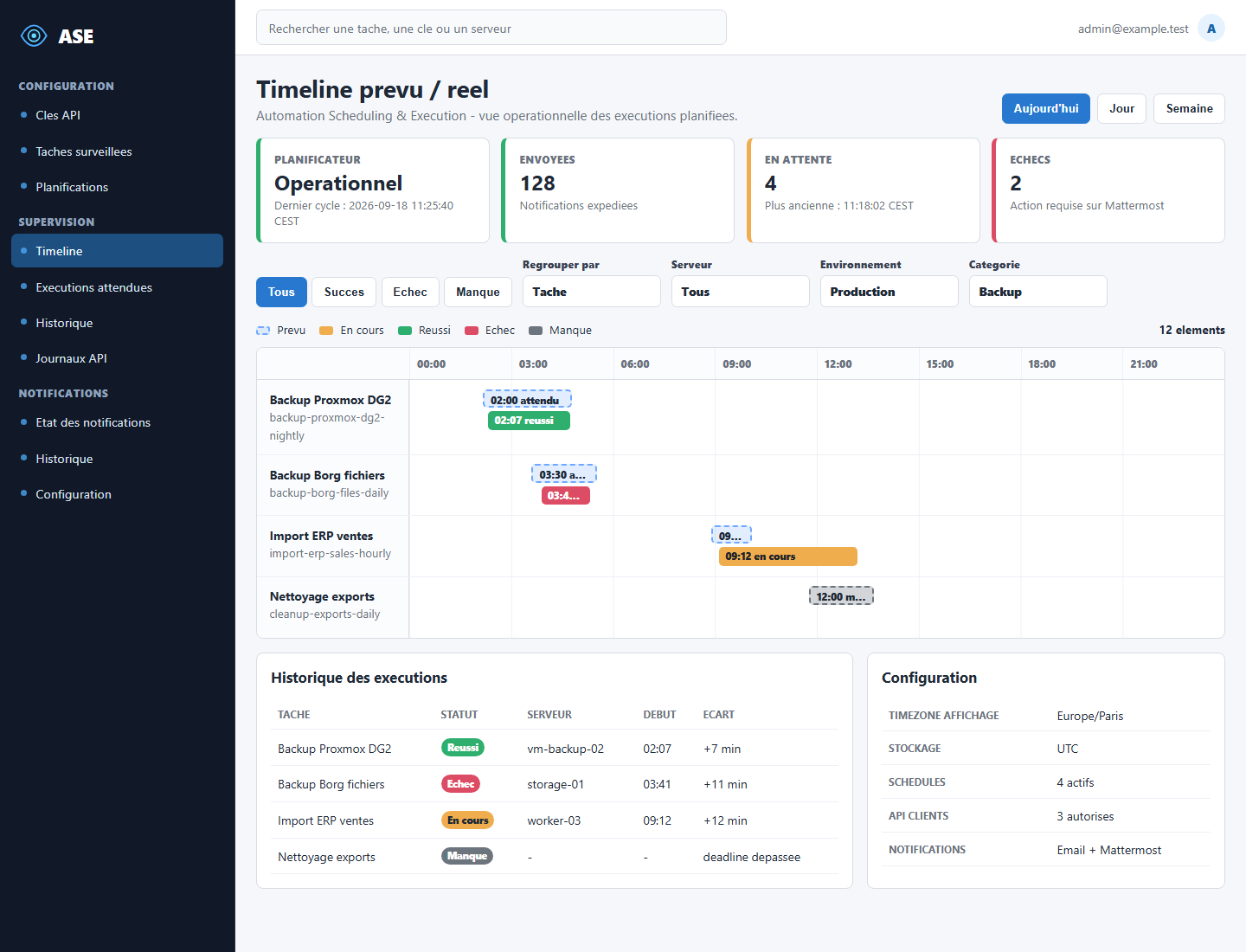
Planned vs actual timeline
Compare expected planned occurrences with real executions, grouped by task, host, environment, or category.
planned / success / failedDocker-deployed operations monitoring
ASE lets you declare expected automation schedules, receive real execution events through an API, and spot missing, late, failed, or unmatched runs from a clear operations timeline.

Cron and automation platforms usually know when they started something, but not always whether the business process completed. Teams often discover missing jobs from downstream failures after the useful response window has already closed.
ASE focuses on the operational question: did the expected run happen on time, and if it happened, did it succeed?
Operating model
Capabilities
Compare expected planned occurrences with real executions, grouped by task, host, environment, or category.
planned / success / failedMonitor recurring cron plans and punctual expected runs, with a timezone on every task schedule.
schedule CRUDUse grace periods and deadlines to separate acceptable delay from incidents that need attention.
warning / missedScripts, jobs, CI pipelines, and external systems report started, succeeded, and failed execution events.
API logsEmail and Mattermost deliveries move through pending, sent, failed, and retry states.
pending / sent / failedA dedicated container generates future planned occurrences and processes detection in the background.
healthcheckIssue API keys and restrict clients to the exact task keys they are allowed to report.
restricted keysASE stores and calculates in UTC, then displays in the administrator-selected installation timezone.
UTC + displayRun the published clinuxfr/ase-ops image with app, web, scheduler, and MariaDB services.
compose stackBusiness architecture
Docker deployment
web serves public assets through nginx and forwards PHP requests.
app runs the Symfony/PHP-FPM application.
scheduler plans occurrences, detects late or missed runs, and dispatches notifications.
database persists configuration, planned occurrences, and execution events in MariaDB.
Install preview
mkdir ase && cd ase
curl -O https://example.com/docker-compose.yml
curl -O https://example.com/.env.example
cp .env.example .env
docker compose up -d
Production deployments should set APP_SECRET, database passwords, PUBLIC_SCHEME, and DEFAULT_URI. Docker image: clinuxfr/ase-ops.